
Introduction
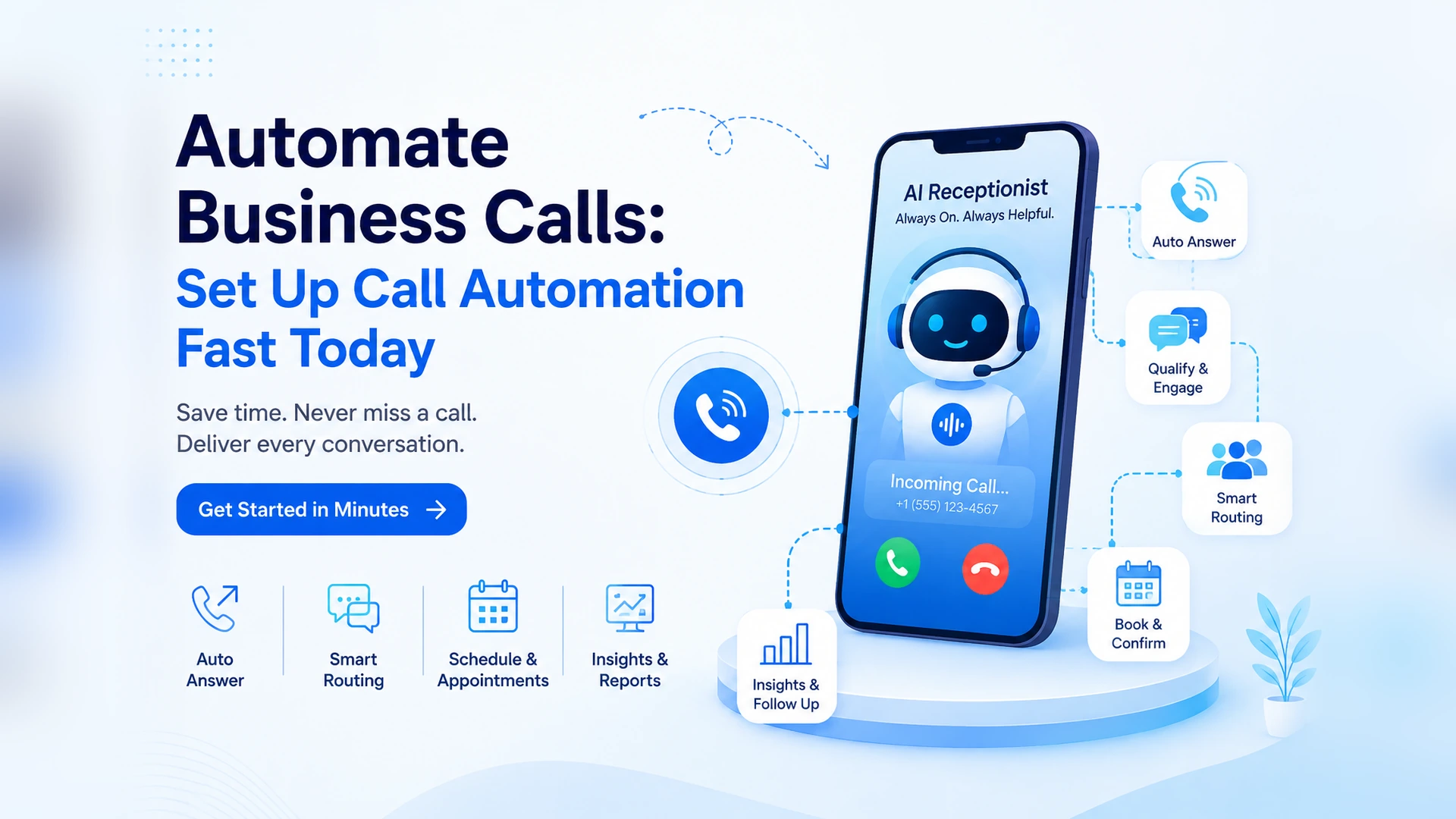
Business call automation answers, routes, and logs every incoming call, and this guide walks through how to set one up so it actually connects to the rest of your workflow, not just your phone line. If a lead has ever gone cold because nobody logged the callback, or a receptionist has retyped the same call notes into three different systems, you already know why this matters. You will learn what business call automation should trigger after the call ends, how workflow automation fits in, and the exact steps to go live this week. By the end, you will know exactly how to set up call automation that does more than just pick up the phone.
- Business call automation is only half useful if it stops the moment the call ends, without updating anything downstream.
- Workflow automation triggered by a call, like a CRM update or a follow-up reminder, is where the real time savings show up.
- A business can go live with call automation in days through a self-serve dashboard, without an engineering team.
- Per-second billing keeps business call automation affordable even for a business that only gets a few hundred calls a month.
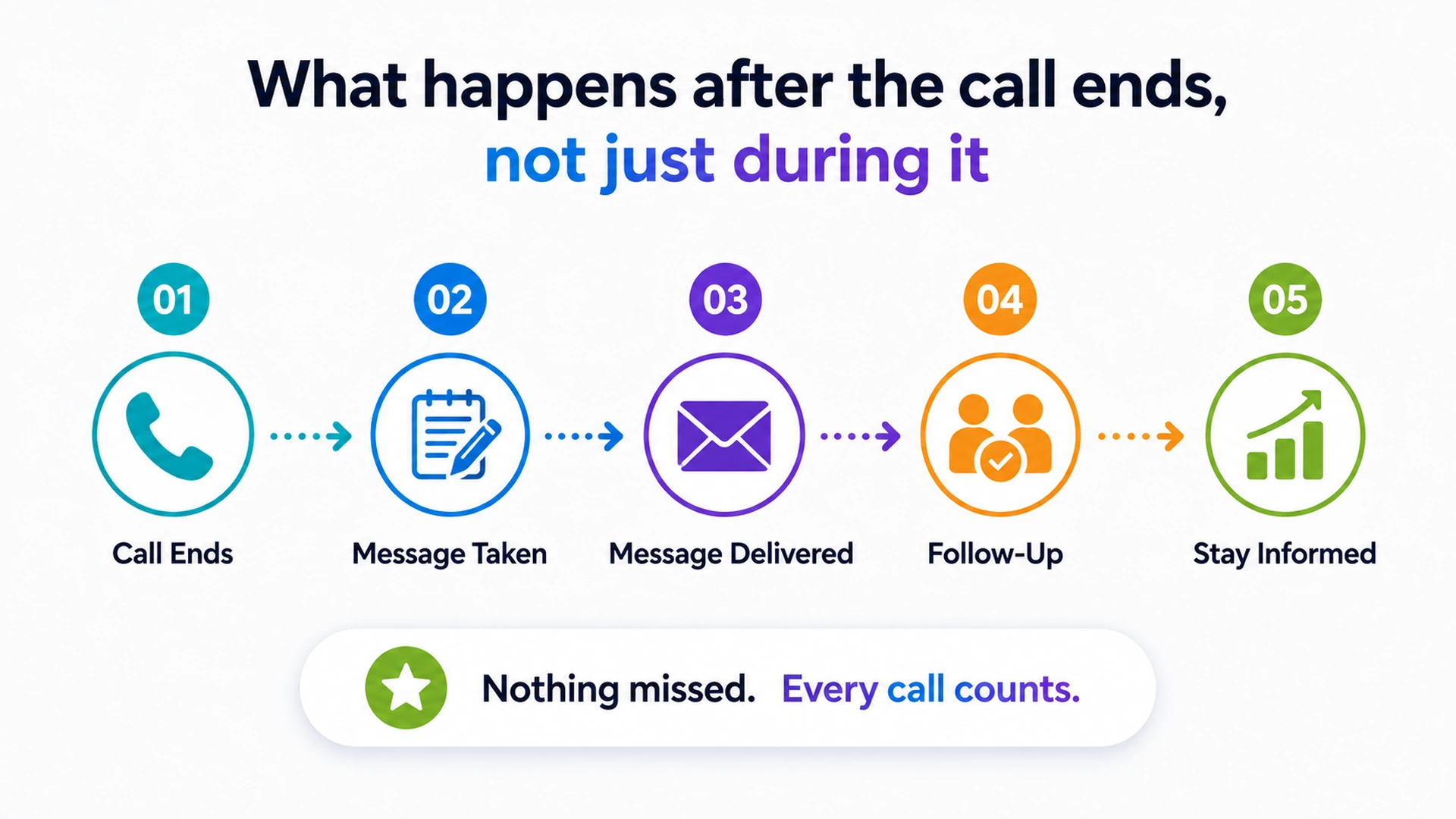
What happens after the call ends, not just during it
Most business call automation content focuses entirely on the call itself, answering fast and sounding natural. What happens the moment the call ends matters just as much, and it is the part most tools skip.
- A call that ends without updating a record forces someone to re-enter the same details later.
- A lead captured on a call is only useful if it reaches the right person before it goes cold.
- A reminder promised on a call needs to actually get scheduled, not just mentioned.
- Business call automation that stops at "call answered" leaves half the job undone.
Business call automation vs a single bot script bolted onto your phone line
A basic bot script sits on top of a phone line and answers with the same handful of responses every time. Business call automation, built properly, connects the call to the systems a business actually runs on, the same shift our AI voice agent overview covers in more depth.
What a bolted-on bot script does
Answers common questions and reads back a fixed script, with no memory of what happens next.
What real business call automation does
Answers the call, captures the details, and hands them off to whatever system needs them next.
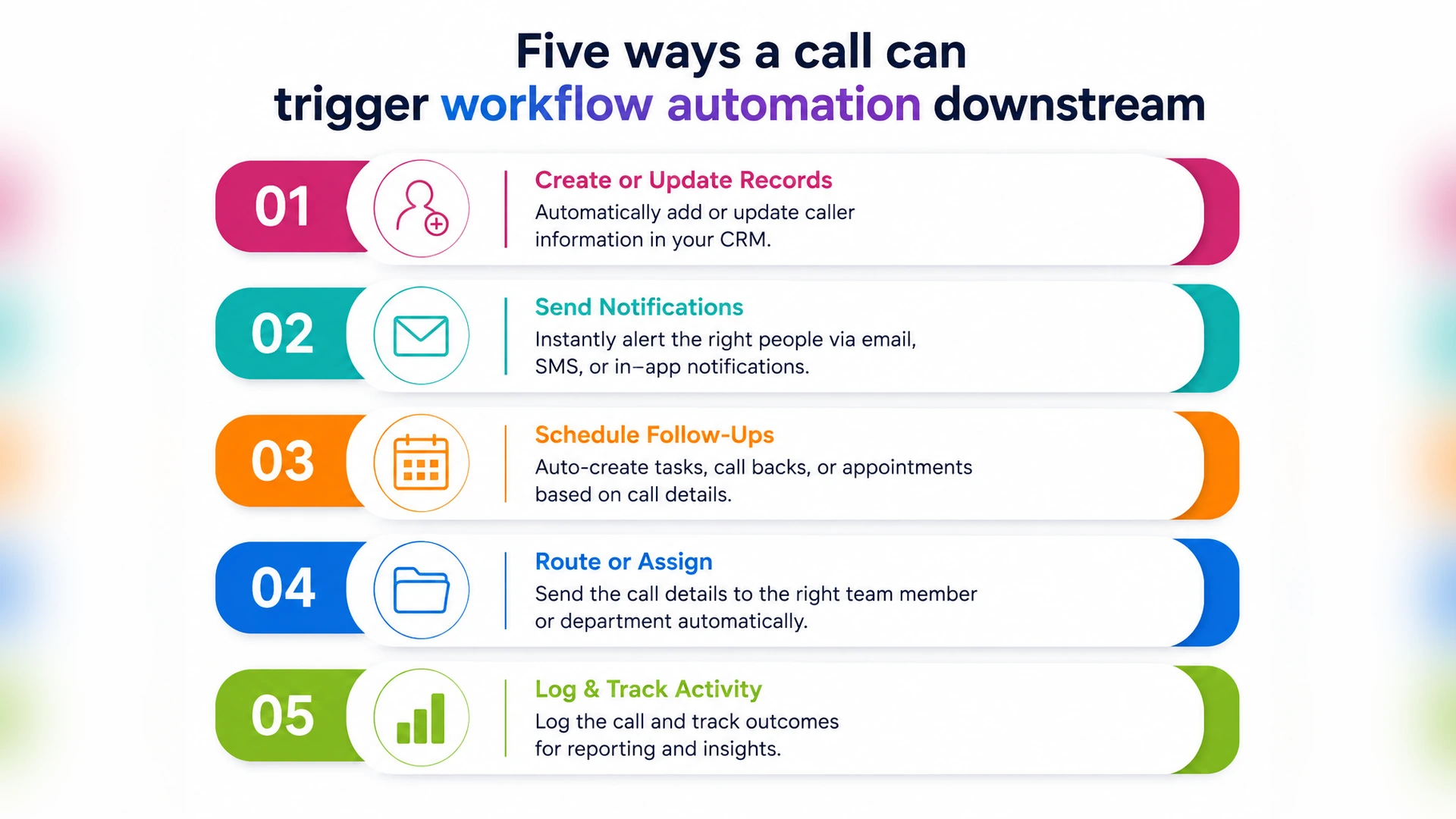
Five ways a call can trigger workflow automation downstream
A single answered call can set off several actions at once, and this is where business call automation and workflow automation actually meet. None of these need a person to do them by hand.
- Logging the caller's details straight into a CRM record.
- Routing a qualified lead to the right salesperson automatically.
- Scheduling a follow-up call or reminder for later.
- Updating an order or appointment status after the call.
- Flagging a call for review if it needs a human follow-up.
Setting up business call automation without an engineering team
Getting business call automation running does not require months of development work. Most businesses using 9278.io connect a number and start taking automated calls within days, through a self-serve dashboard.
- Connect a business phone number and write the greeting and FAQs.
- Decide what each call type should trigger afterward, like a CRM update or a reminder.
- Test the agent with a handful of real call scenarios.
- Go live and review transcripts for anything that needs adjusting.
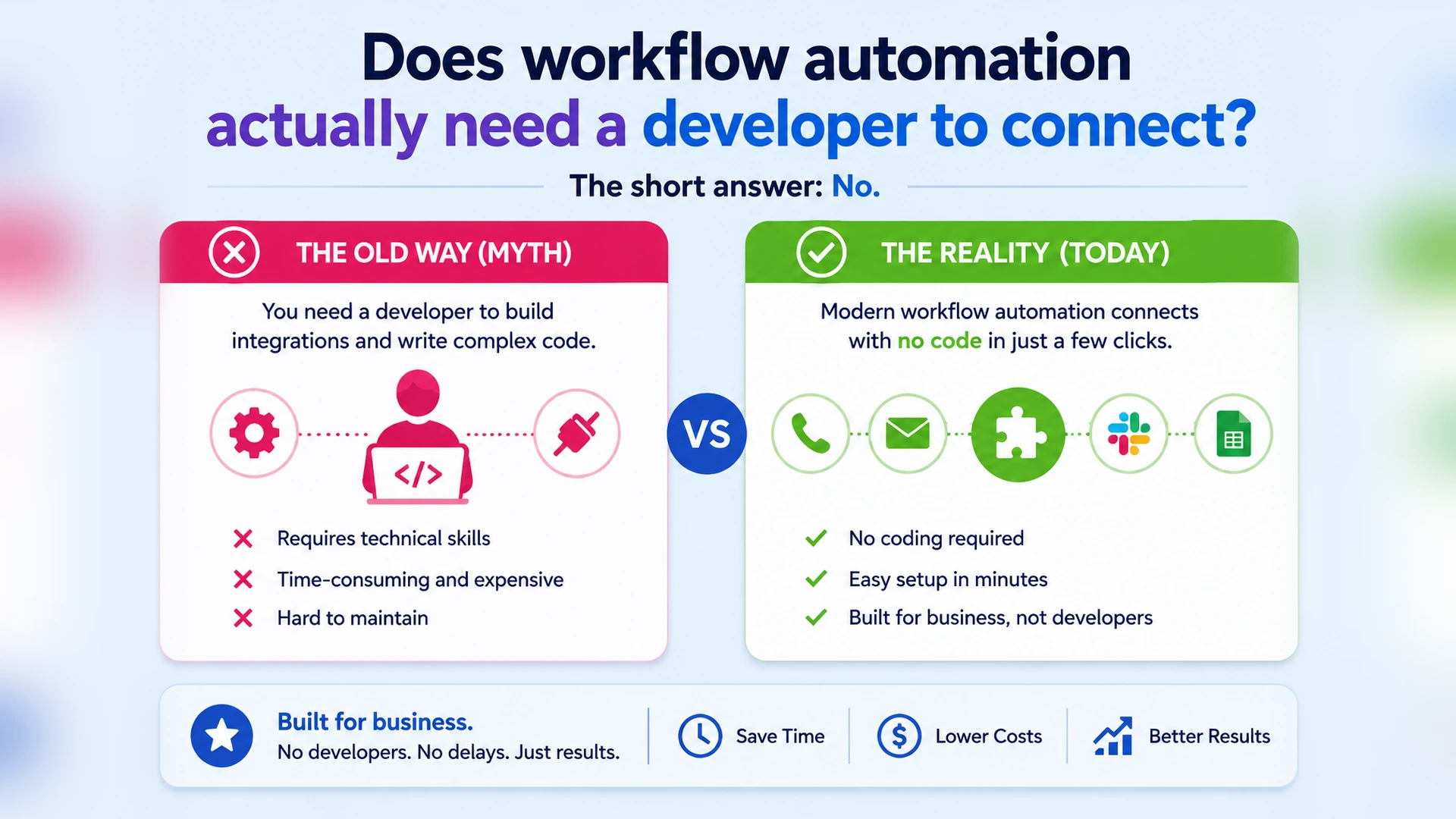
Does workflow automation actually need a developer to connect?
Connecting a call to a workflow sounds like it needs custom code, but most of it does not. Business call automation platforms built for self-serve use handle the connection through a dashboard, not a development sprint.
What usually needs no developer
Basic triggers like logging a lead, sending a reminder, or updating a status field.
What might still need one
A highly custom system with no existing integration, though this is the exception, not the rule.
What a missed call costs a business every week
A missed call rarely feels expensive in the moment, but it adds up fast. Business call automation exists to close that gap, one call at a time, without adding headcount.
- A missed sales call is a lead that likely calls a competitor next.
- A missed appointment call means an empty slot that could have been filled.
- A missed support call often turns into a longer, more frustrated call later.
- Every missed call during business hours is one a human never even saw.
Choosing between a basic IVR and real business call automation
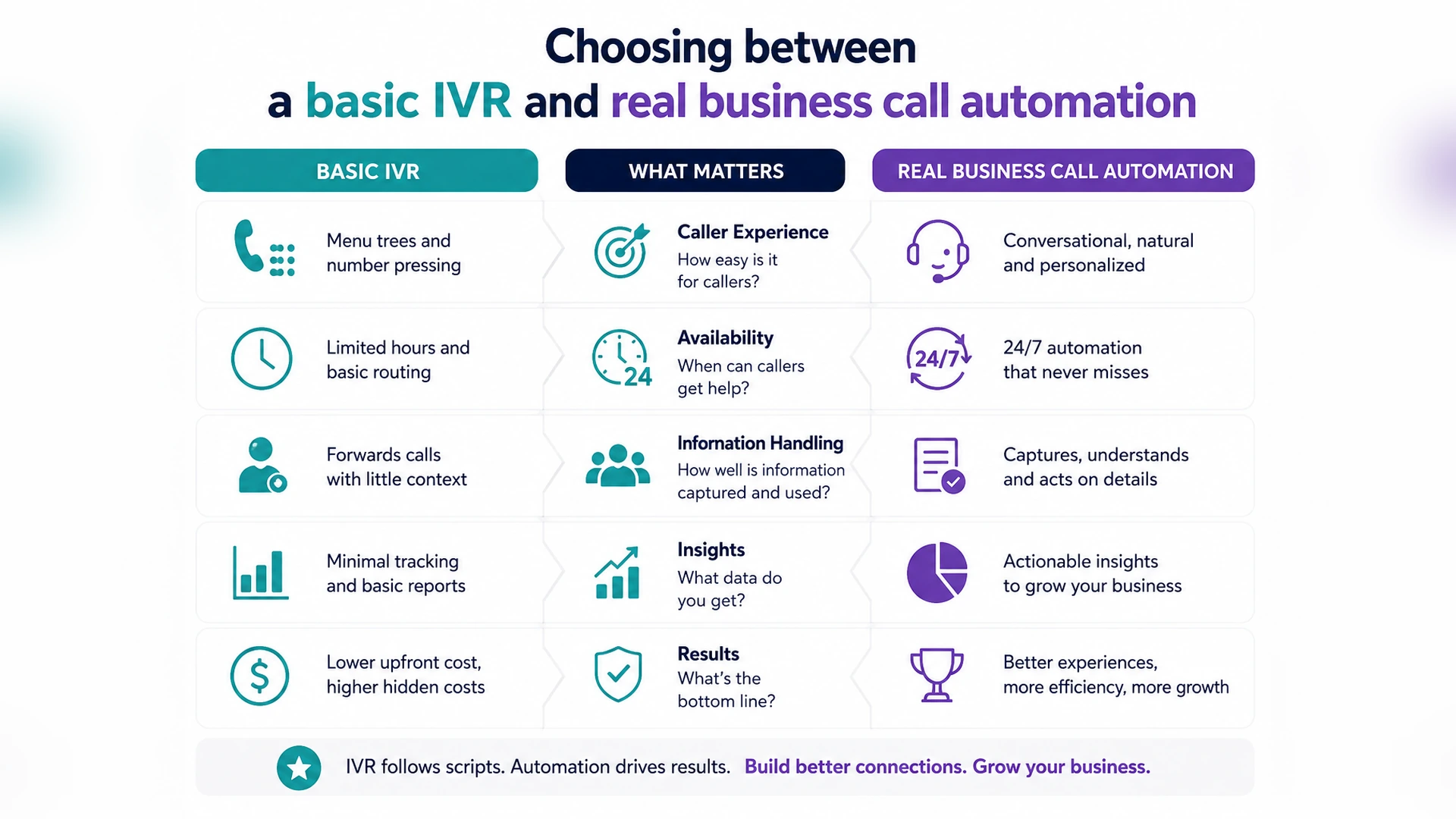
An IVR menu routes calls to the right department, but it does not answer questions or update anything. Business call automation, like the setup on 9278.io, replaces that menu with something that actually completes the call. Our pricing plans break down what that looks like at different call volumes.
What a basic IVR still requires
A human on the other end for anything beyond routing, and no memory of the conversation afterward.
What business call automation adds
A full conversation, a logged record, and a workflow automation trigger, kept within TRAI guidelines for any outbound follow-up.
Conclusion
Business call automation earns its place the moment it does more than answer the phone, feeding straight into the workflow automation a business already depends on. It works best when every call updates a record, routes a lead, or triggers a reminder without anyone touching a keyboard. Self-serve setup, per-second billing, and Indian-language support are what make this genuinely usable rather than another tool bolted onto the phone line. Once it is running, a call stops being an isolated event and becomes one more step in a workflow that already runs itself.
Missed calls and manual data entry will keep costing a business time and leads until call automation and workflow automation are connected properly. Setting up business call automation now means fewer dropped leads and a team that spends less time re-entering the same details. 9278.io lets Indian businesses test this without a long-term contract or an engineering project. Connect a number, decide what each call should trigger, and see how much of your workflow runs itself.
Still losing leads because a call never made it into your workflow?
9278.io answers the call, logs the details, and triggers whatever happens next.
Start Free Trial